RouteOne GO: Truck Navigation
- 4.2
- Rating
- 10.00K
- Installs
- Free
- Price

 Analysis by App-foxy
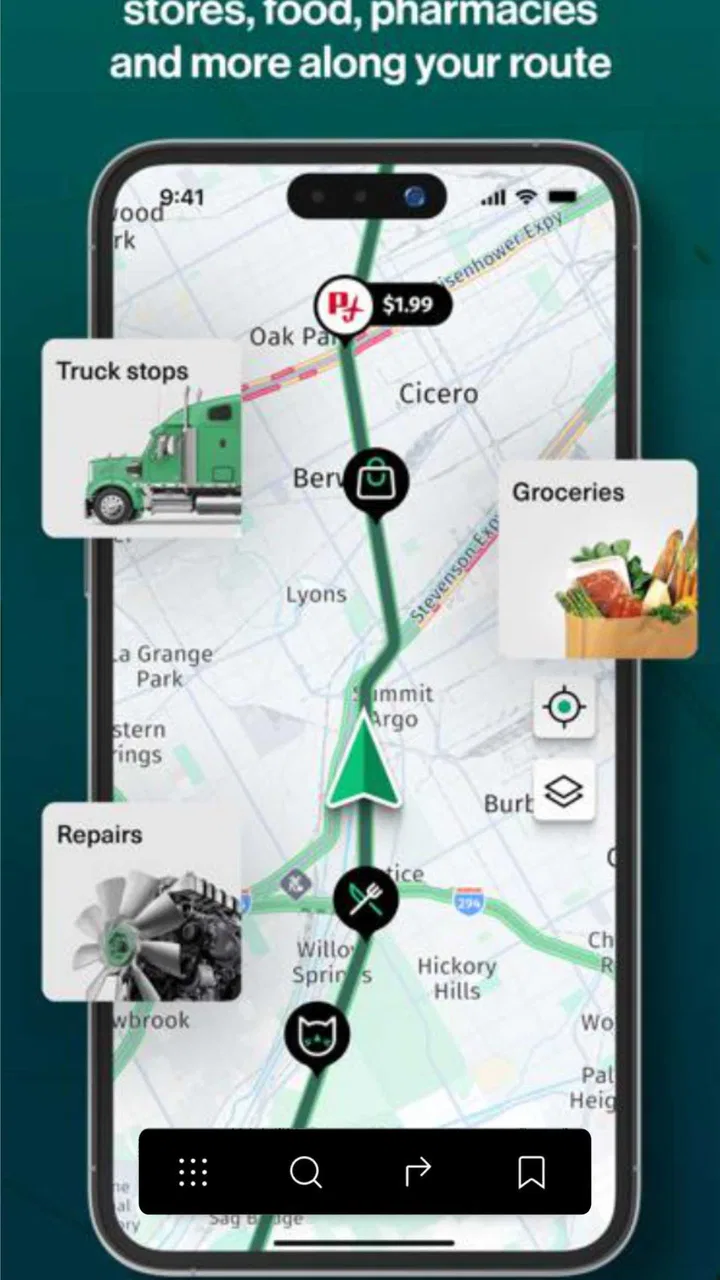
I approached RouteOne GO as a working tool rather than another general map app, and that distinction matters. Its purpose is clear: help truck drivers plan journeys around vehicle needs, fuel spending, and practical stops instead of treating every vehicle like a small car. After using it in that context, my view is that it has a useful, focused idea, but it is best judged as a developing specialist navigator rather than a complete replacement for every navigation service on a driver’s phone.
The app comes from Route One Go and sits in the Maps & Navigation category. It is free to install, available to Everyone, and has passed the ten-thousand-install mark. Its average score is 4.2 from roughly forty-six ratings, with five written reviews. Those figures suggest early interest, but they also tell me to keep expectations sensible: this is still a relatively small product, not a mature navigation platform with years of public feedback behind it.
What makes the truck-focused approach useful
The strongest part of the experience is the way it frames a trip from a commercial driver’s point of view. A normal navigation app is usually excellent at finding a fast route for an ordinary vehicle, yet a truck driver has a different set of questions. Is the road practical for the vehicle? Where can fuel be planned without creating a large detour? Which stops make sense during a long working day? RouteOne GO is built around those concerns, and that focus gives it a more relevant starting point than a standard car-navigation app.
You May Also Like

 Pandora - Music & Podcasts
Pandora’s Music Is Easy to Start, but Harder to Recover
Pandora’s strength is its low-effort path from a seed to a station. Its weak spot is how much confidence it asks you to place in connection, setup, and quiet recovery.

 AccuWeather: Weather Radar
AccuWeather Review: A Quick, Clear Forecast for Everyday Decisions
For everyday plans, the best forecast is the one you can understand quickly. AccuWeather makes rain timing, radar, and local conditions easy to act on, with a few trade-offs.

 Hill Climb Racing
Why Hill Climb Racing Still Turns Crashes Into One More Run
A tiny car, a bumpy hill and one more upgrade: Hill Climb Racing keeps resurfacing because its simple chaos makes every near-miss feel personal.

 AliExpress - Shopping App
AliExpress Makes Global Shopping Feel Personal, but Shoppers Bear the Risk
AliExpress turns a global marketplace into a pocket-sized discovery engine. Its reach is useful, its shopping loop compelling, and its trade-offs easy to miss.

 Lords Mobile: Kingdom Wars
Lords Mobile Is a Kingdom-Building Routine, Not a Quick Match
A case-by-case verdict on the building, battles, device demands, and social commitments that make Lords Mobile rewarding for some players and exhausting for others.

 PDF Scanner app - TapScanner
TapScanner Makes Paperwork Easier to Capture, Check, and Share
TapScanner makes scanning with a phone feel less like a rescue operation and more like a dependable step in getting work done. Its capture tools are useful, though not flawless.
More From Our News Desk
View All News


I especially like the idea of considering fuel cost while planning rather than treating fuel as an afterthought. For a private driver, a small change in fuel use may be easy to ignore. For someone driving long distances for work, repeated choices can affect the day’s operating cost. Even when the route itself remains similar, thinking about fuel locations and spending before departure can make the journey easier to manage.
That is also where the app can be more practical than simply opening a familiar map and searching for a petrol station. The useful workflow is to think about the whole trip first, then use the planned route to decide where a stop belongs. A driver can compare a convenient stop with one that requires a needless deviation, rather than discovering the problem after leaving. I would make those decisions before moving, because the value of fuel planning is highest when it is done calmly at the start.
Another strength is its narrow purpose. RouteOne GO does not need to appeal equally to cyclists, tourists, pedestrians, and city commuters to make sense. Its identity is tied to truck navigation, route planning, fuel costs, and key stops. That makes it easier for a professional driver to understand what the app is trying to solve. A focused tool can be preferable to a crowded map application where commercial driving needs are hidden among unrelated options.
A realistic working-day example
Imagine starting a delivery run early in the morning with a loaded vehicle and several hours of driving ahead. With an ordinary navigation app, I might choose the fastest-looking route and then search for fuel when the tank becomes a concern. That approach can produce avoidable stress: the nearest station may be awkward for a large vehicle, the stop may sit off the route, and a late change can interfere with the planned arrival time.
With RouteOne GO, I would begin by treating fuel and stops as part of the route itself. I would review the journey before departure, identify a sensible stopping point, and keep the expected cost in mind while making the choice. If the trip includes a break or a refuelling decision, planning it early helps me avoid using the navigation screen as a last-minute decision tool. That is a small change in routine, but it is one of the more valuable ways to use a specialist app.
The same approach can help when a driver is comparing two broadly similar routes. The shortest route is not automatically the best working route if it makes fuel planning inconvenient or leaves no comfortable place to pause. RouteOne GO’s emphasis encourages a more complete decision: travel time, vehicle practicality, fuel, and stops should be considered together. I would still verify the final choice against current road conditions and the driver’s own operational knowledge, but the planning mindset is sound.
Where it stands against familiar alternatives
General navigation apps remain strong alternatives for drivers who mainly need live directions, broad place search, traffic awareness, and a familiar interface. They often have a larger user base and more accumulated feedback. If my journey were a short local trip in a small vehicle, I would probably choose a conventional map app because the truck-specific planning angle would add little value.
RouteOne GO becomes more compelling when the vehicle and the cost of the journey are central to the decision. Its advantage is not that it should replace every mapping tool in every situation. Its advantage is that it starts from the needs of a truck driver. That difference can save planning time, particularly for people who regularly repeat long routes and want fuel and stops considered before they set off.
I would also avoid treating it as a magic answer to every commercial-driving problem. A specialist label does not remove the need for judgment. Drivers still need to pay attention to posted restrictions, local rules, temporary closures, weather, loading conditions, and the exact requirements of their vehicle. The app can support planning, but it should not become a reason to ignore road signs or professional procedures.
Important limitations before making it your main navigator
The first limitation is maturity. The current version is 1.0.33, and the app was released on November 20, 2024. That does not make it unsuitable, but it does place it in an early stage compared with long-established navigation names. The public rating is encouraging, yet the relatively small number of ratings means I would not use that score as proof that every route type or regional situation has been thoroughly tested.
This matters most for drivers whose income depends on dependable routing. I would install it and test it alongside my usual navigation method before making it the only tool in the cab. Try it on a familiar route first. Compare the proposed journey with the roads you already know, check whether its stop suggestions fit your vehicle, and see how naturally its planning process fits your working routine. A short trial on known roads is much more informative than trusting any app immediately on an unfamiliar delivery.
The free entry price is welcome, especially for drivers who want to evaluate the concept without committing money at the start. However, in-app purchases are listed at $12.99 per item. That means the total cost can depend on what a user chooses to access or buy inside the app. I would look carefully at the purchase screen before confirming anything and decide whether the paid element offers enough value for the routes I actually drive. The free download makes testing easy, but it should not be confused with unlimited use of every possible option.
There is also a practical trade-off between specialization and simplicity. A driver who already has a trusted routine for fuel stops may find the extra planning layer unnecessary. If I only need a quick address search or a basic turn-by-turn journey across town, this app could feel more focused than I need. Its value grows with trip length, vehicle relevance, and the importance of controlling fuel decisions.
Another point is that route planning is only useful when the driver reviews it before moving. I would not use the app as a reason to make frequent adjustments while driving. The best workflow is to prepare the journey while parked, set up the intended stops, and then concentrate on the road. This is especially important for professional drivers, where a clever route is not worth much if interacting with it becomes distracting.
Small habits that make the app more useful
My first practical tip is to plan the fuel decision before the tank becomes urgent. Waiting until the last comfortable moment reduces the number of sensible choices and can turn a minor stop into a stressful detour. RouteOne GO’s fuel-cost focus is most helpful when it supports an early decision, not when it is used as an emergency search tool.
Second, I would separate route planning from stop planning. First look at the overall journey and the roads it proposes. Then examine whether the selected key stops fit naturally into that route. This prevents a convenient-looking stop from quietly distorting the entire trip. It also makes it easier to explain the plan to a colleague or dispatcher because the route and the reason for each stop are considered separately.
Third, use a familiar journey as a calibration exercise. Compare what the app suggests with the route you normally take, then ask why the two differ. The answer may be a useful fuel or stop choice, but it may also reveal a road that is technically shorter yet less suitable for your vehicle or schedule. The app is more valuable when it improves your decisions, not when it simply replaces them without discussion.
Fourth, keep a backup habit for important work. I would save the essential destination details through whatever normal process my operation uses and keep another navigation option available. That is not a criticism unique to this application; it is sensible for any newer navigation tool used on time-sensitive journeys. The smaller public footprint here makes that precaution particularly reasonable.
Who should use it, and who should skip it?
I think RouteOne GO is a good fit for truck drivers who regularly plan longer journeys and want fuel costs and practical stops included in the conversation from the beginning. It may also suit owner-operators who personally feel the effect of fuel decisions and prefer a dedicated tool instead of adapting a consumer map app. The free installation makes it easy to test without immediately changing an established workflow.
It is less convincing for occasional drivers who rarely travel beyond familiar local roads. If the main requirement is finding an address, avoiding everyday congestion, or navigating a short car trip, a general-purpose alternative may be more convenient. The same is true for anyone who dislikes reviewing a route before departure. This app rewards preparation, so a driver looking only for instant directions may not experience its main benefit.
I would also be cautious about relying on it alone when a journey has unusual operational demands. If a route involves complicated restrictions, special access requirements, or a vehicle configuration that needs careful verification, I would combine the app with official road information and direct experience. RouteOne GO can be part of a professional process, but it should not be the sole authority for decisions that carry serious consequences.
For newer drivers, the app could be useful as a planning aid because it encourages them to think beyond the next turn. I would still recommend learning the route, checking the vehicle’s needs, and understanding the stop plan before departure. For experienced drivers, its value depends on whether its specialized approach saves time or improves fuel decisions compared with the system they already trust.
My final verdict on RouteOne GO
RouteOne GO has a clear and worthwhile thesis: truck navigation should be about more than placing a destination on a map. In my experience, its strongest appeal is the combination of route preparation, fuel-cost awareness, and key-stop planning. That combination gives it a practical identity and makes it more relevant to commercial drivers than a standard car-focused navigator.
At the same time, I would not describe it as an automatic replacement for established alternatives. Its recent release, current version, smaller review footprint, and optional in-app purchases all point to a product that deserves a careful trial rather than blind dependence. The right way to judge it is on routes I already know, with my usual navigation method available until I am confident that it fits my work.
My recommendation is therefore specific. If you drive trucks regularly and want to make fuel and stopping decisions before the journey begins, download it and test it on a familiar long route. If you only need ordinary directions for occasional trips, stay with a general map app unless the truck-focused planning tools solve a problem you actually have. RouteOne GO is most convincing as a focused planning companion for working drivers: useful, promising, and practical when preparation matters, but not something I would treat as the only source of road judgment.
FAQs for RouteOne GO: Truck Navigation
01What is RouteOne GO: Truck Navigation designed for?
RouteOne GO is designed specifically for professional truck drivers and commercial vehicle operators. Unlike standard navigation apps, it focuses on truck-friendly routing by considering factors such as vehicle dimensions, weight restrictions, low bridges, road limitations, and commercial access. It can be useful for long-haul drivers, delivery fleets, and anyone who needs routes adapted to the requirements of a large vehicle.
02Can I enter my truck’s dimensions and weight into RouteOne GO?
Yes, the app is intended to provide routing based on important truck specifications. Depending on the available settings and regional support, drivers can typically enter details such as height, width, length, weight, and axle information. Providing accurate data is essential because incorrect vehicle settings may result in unsuitable directions, restricted roads, or routes that are unsafe or illegal for your truck.
03Does RouteOne GO work without an internet connection?
RouteOne GO may support offline navigation in areas where map data can be downloaded in advance, but offline availability can depend on the country, subscription, and current app version. Drivers should download the required maps and calculate routes before entering areas with weak coverage. An internet connection may still be needed for live traffic, updated restrictions, weather information, or other connected features.
04Is RouteOne GO reliable enough to use as the only navigation system?
RouteOne GO can be a valuable navigation aid, but it should not replace the driver’s judgment or official road signs. Truck restrictions, temporary closures, construction, and local regulations can change faster than digital maps are updated. Before following a route, check the displayed vehicle profile and review the suggested roads. Professional drivers should always remain alert and verify questionable directions with current local information.
05Is RouteOne GO: Truck Navigation free to download and use?
The app may be available to download at no initial cost, while some navigation tools, map coverage, premium routing options, traffic services, or fleet-related features can require a subscription or in-app purchase. Pricing and included features may vary by platform and region. Before downloading, review the current Google Play or App Store listing carefully, especially if you need unrestricted professional use.
Pros
- Truck-specific routing helps avoid unsuitable roads and restrictions.
- Clear turn-by-turn guidance is easy to follow while driving.
- Useful route planning for long-haul trips and delivery schedules.
- Supports safer navigation around low bridges and weight-limited roads.
- Designed with professional drivers and commercial vehicles in mind.
Cons
- Coverage and restriction data may vary by country or region.
- Some advanced navigation features may require a paid subscription.
- Large map downloads can use considerable storage space.
- Accurate truck routing depends on keeping vehicle details updated.
- GPS guidance can drain the phone battery during extended trips.

RouteOne GO: Truck Navigation
Gallery